Art Scanner for Museum Visits.
Scan paintings and museum artworks with your iPhone. Identify the piece, learn the story behind it, then save favorites, notes, and places to your private collection.
Photos are used only for analysis. Your saved collection stays private on your device.
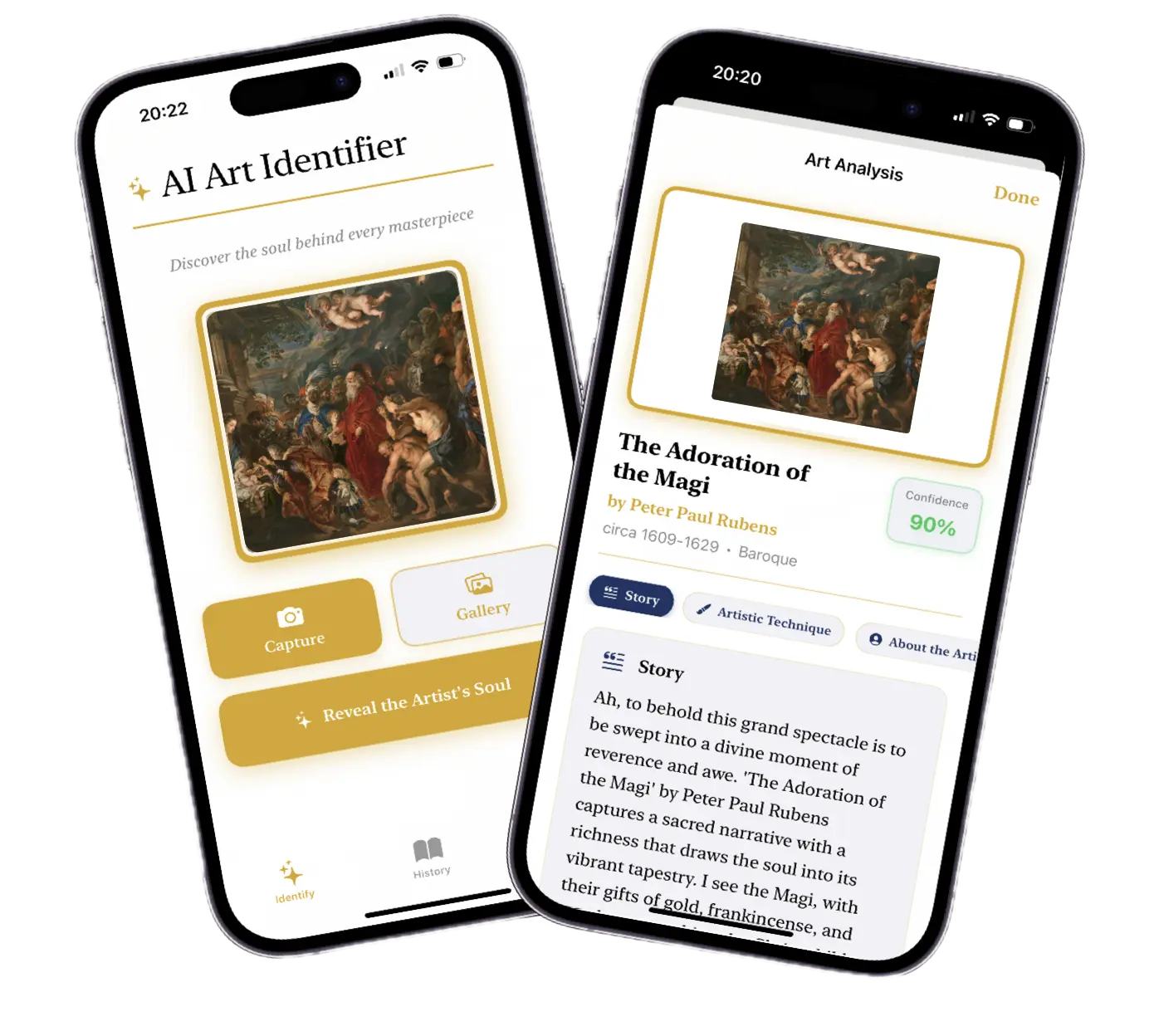
Built around real museum workflows
Scan, understand, save, and revisit artworks without turning a gallery visit into research homework.
Scan a painting
Start from your camera or photo library.
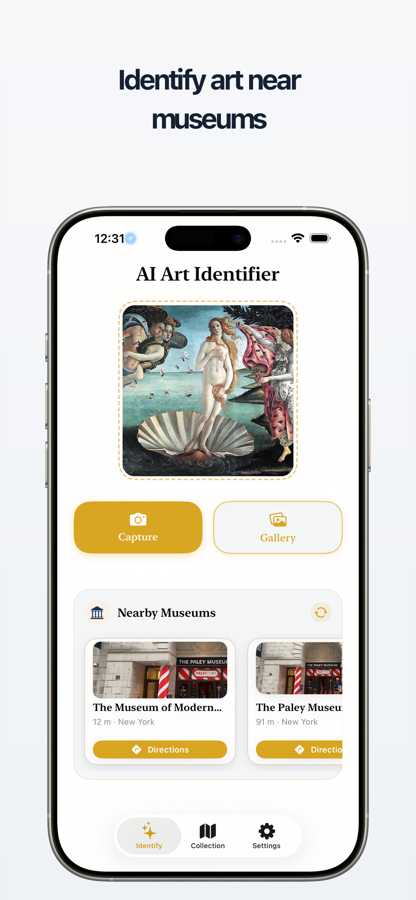
Point your iPhone at museum art, posters, prints, or gallery pieces and get a clean artwork match when one is available.
Understand artist and history
Read the useful context after the scan.
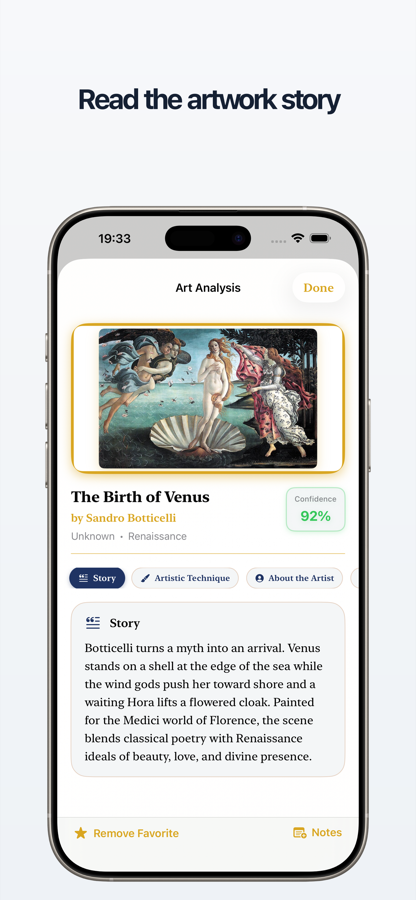
Learn the artist, movement, period, technique, and story so the artwork makes sense while you are still standing in front of it.
Save notes and favorites
Build your own art memory.
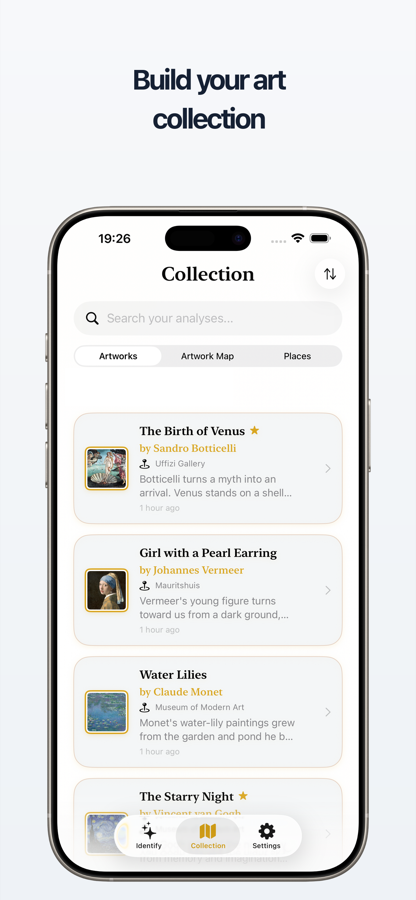
Save discoveries to a private on-device collection, mark favorites, and add personal notes for later.
Map your museum discoveries
Keep places connected to artworks.
Browse saved places, nearby museums, and artwork locations so you can revisit galleries from your collection map.
From scan to saved discovery
A short product flow: scan the artwork, read the result, save it to your collection, then see where your discoveries live on the map.
Identify artworks in three museum-friendly steps
Fast enough for a visit, detailed enough for later reading.
1. Scan artwork
Take a photo in the gallery or choose one from your library.
2. Read the story
See the artwork, artist, period, style, and historical context in one focused result.
3. Save and revisit
Keep favorites, notes, and places in your private collection for later.
Frequently asked questions
Everything you need to know about artwork identification.
Take Art Identifier on your next museum visit
Identify artwork, learn the story, save favorites, add notes, and map discoveries from one iPhone app.

Photos are used only for analysis. Saved artworks stay private on your device.